How to Use a Multi-Agent
Chat Panel Interface
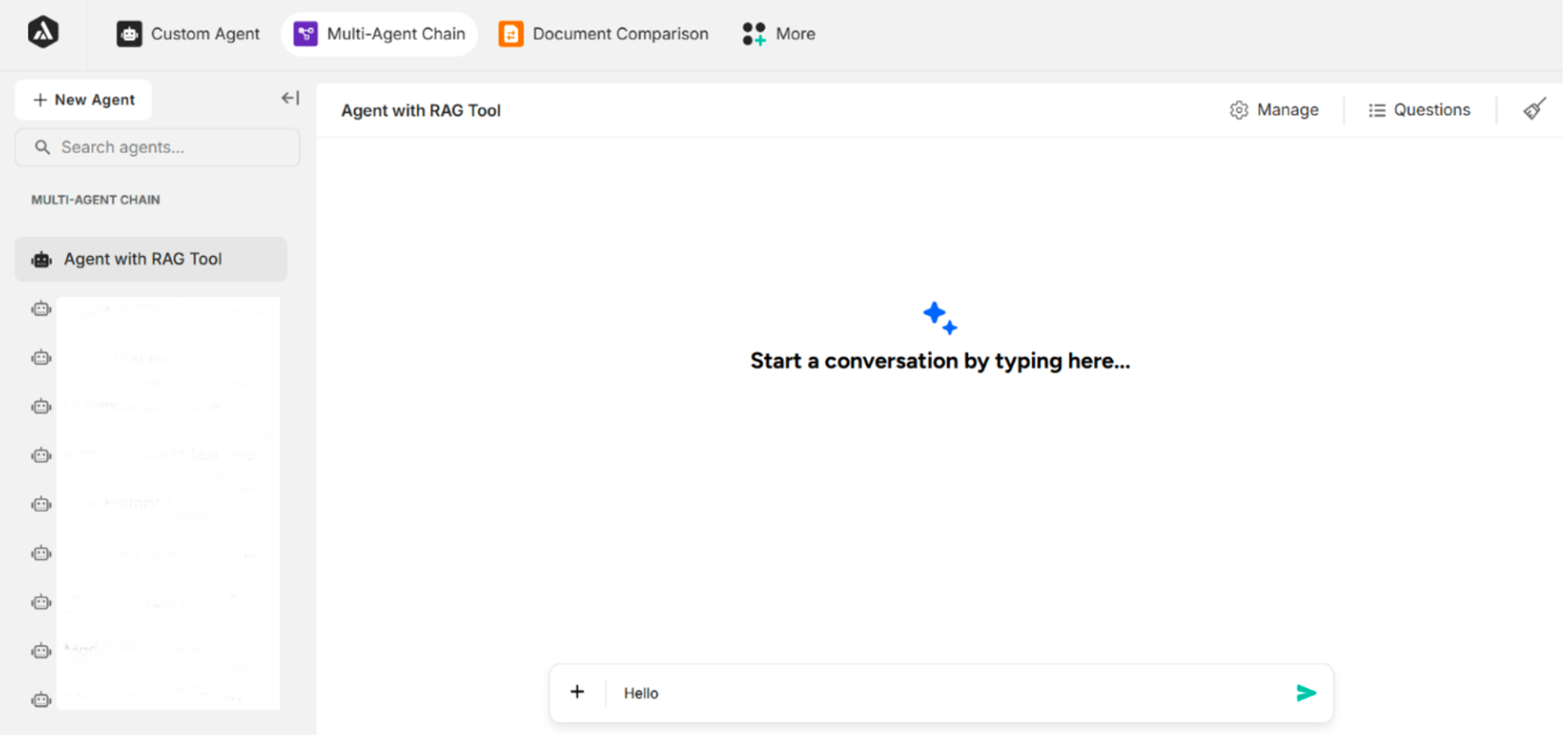
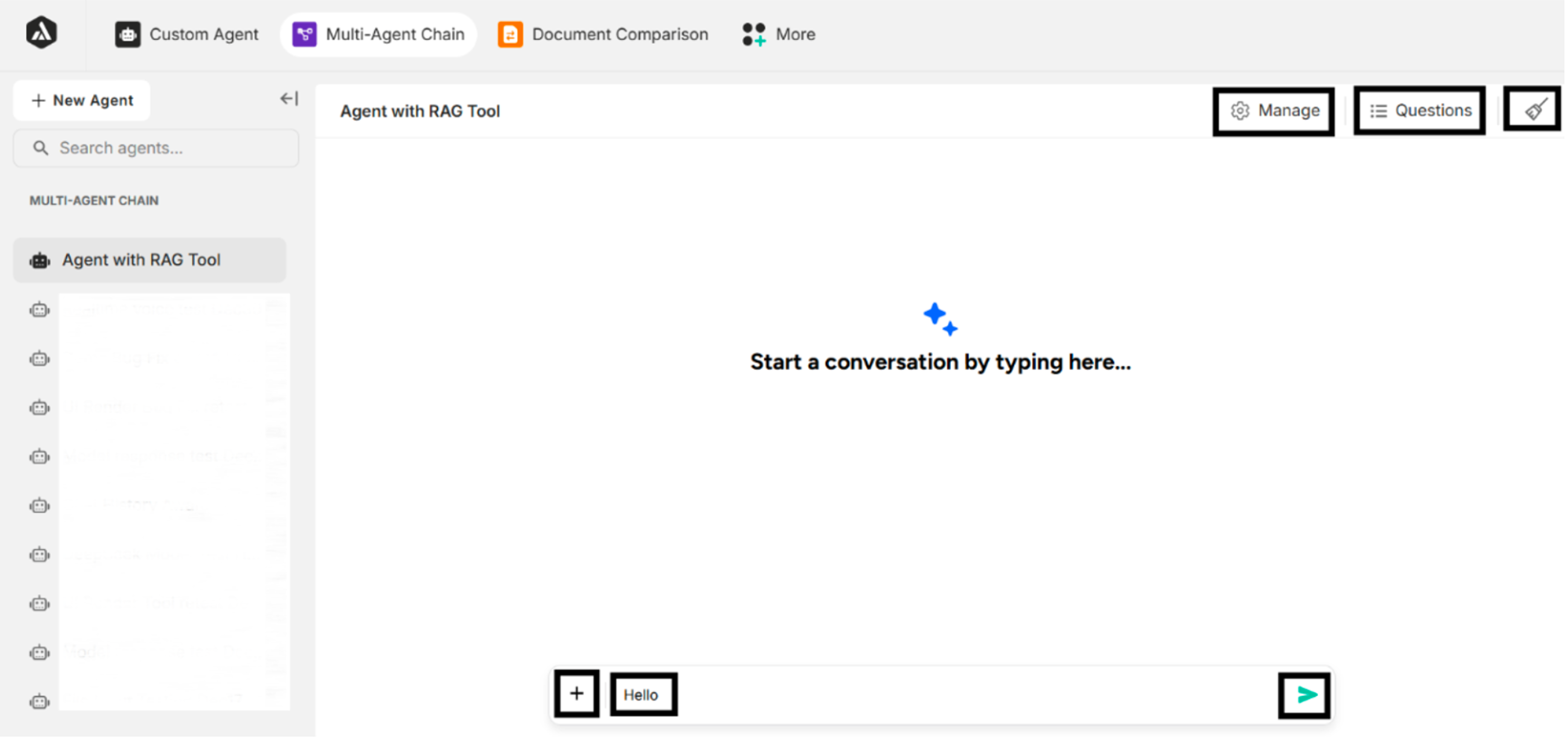
The Multi-Agent chat panel provides various interactive elements to enhance the user experience:
| Chat Panel Menus | Description |
|---|---|
| Manage | Allows users to configure and manage agent settings, including tools, prompts, and behavior associated with the selected agent. |
| Questions | Displays the list of asked questions related to the agent, enabling quick selection and review during conversations. |
| Clear Chat History | Clears the chat logs displayed in the chat panel. |
| File Input | Allows users to attach files or photos as inputs to the conversation. |
| Message Input (Example: "Hello") | Allows users to enter messages in the message input field to have a conversation with the agent. |
| Send Button | Submits the entered message or query to the agent to initiate or continue the conversation. |