Guardrails
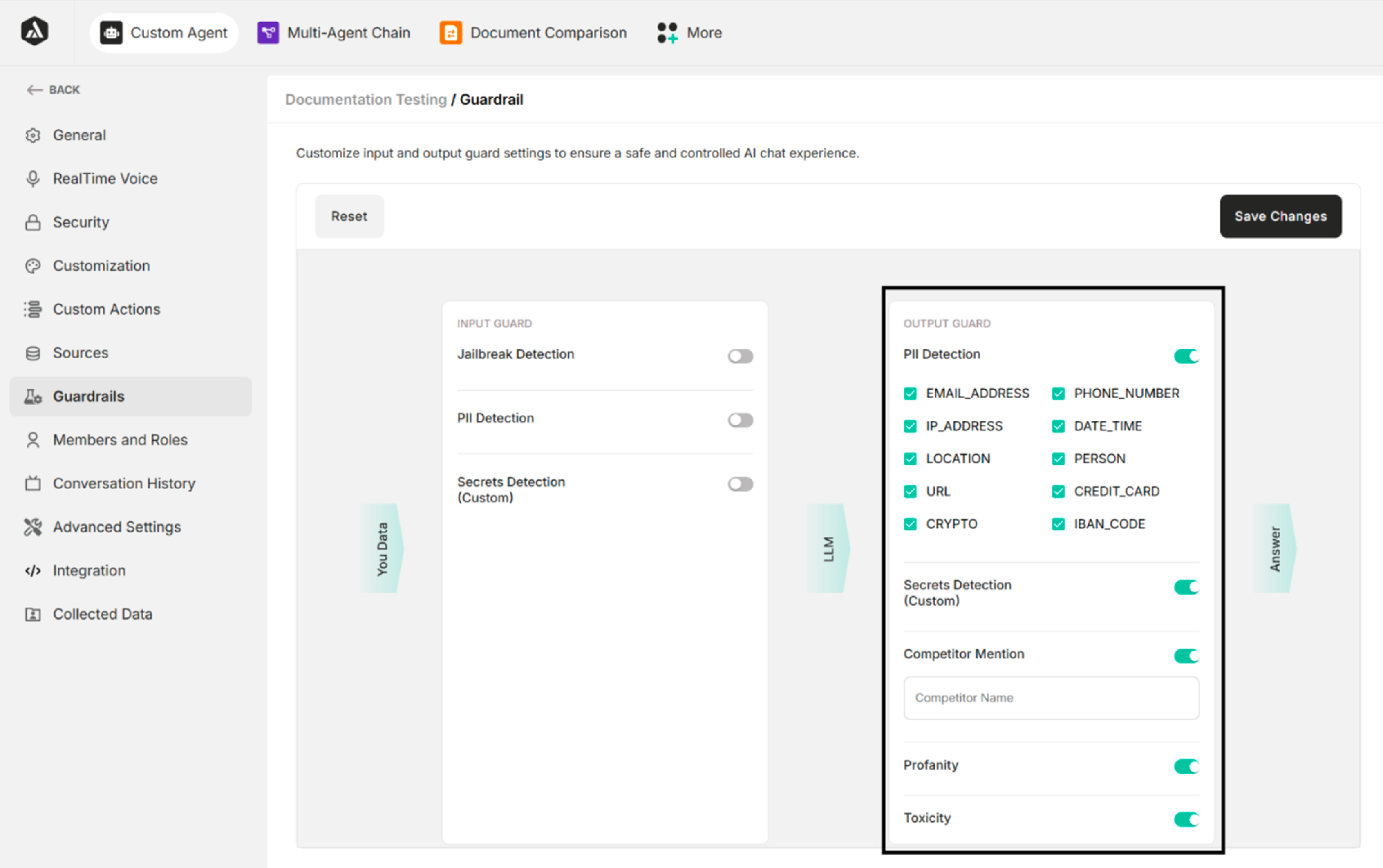
Guardrails configure input and output guard settings to ensure a safe and controlled AI chat experience. There are two types of guards:
- Input Guard – Controls and validates user inputs.
- Output Guard – Regulates the agent's responses.
| Buttons | Description |
|---|---|
| Reset | Restore the original condition |
| Save Changes | Save the guardrails changes |
Table: Buttons in Guardrail Settings
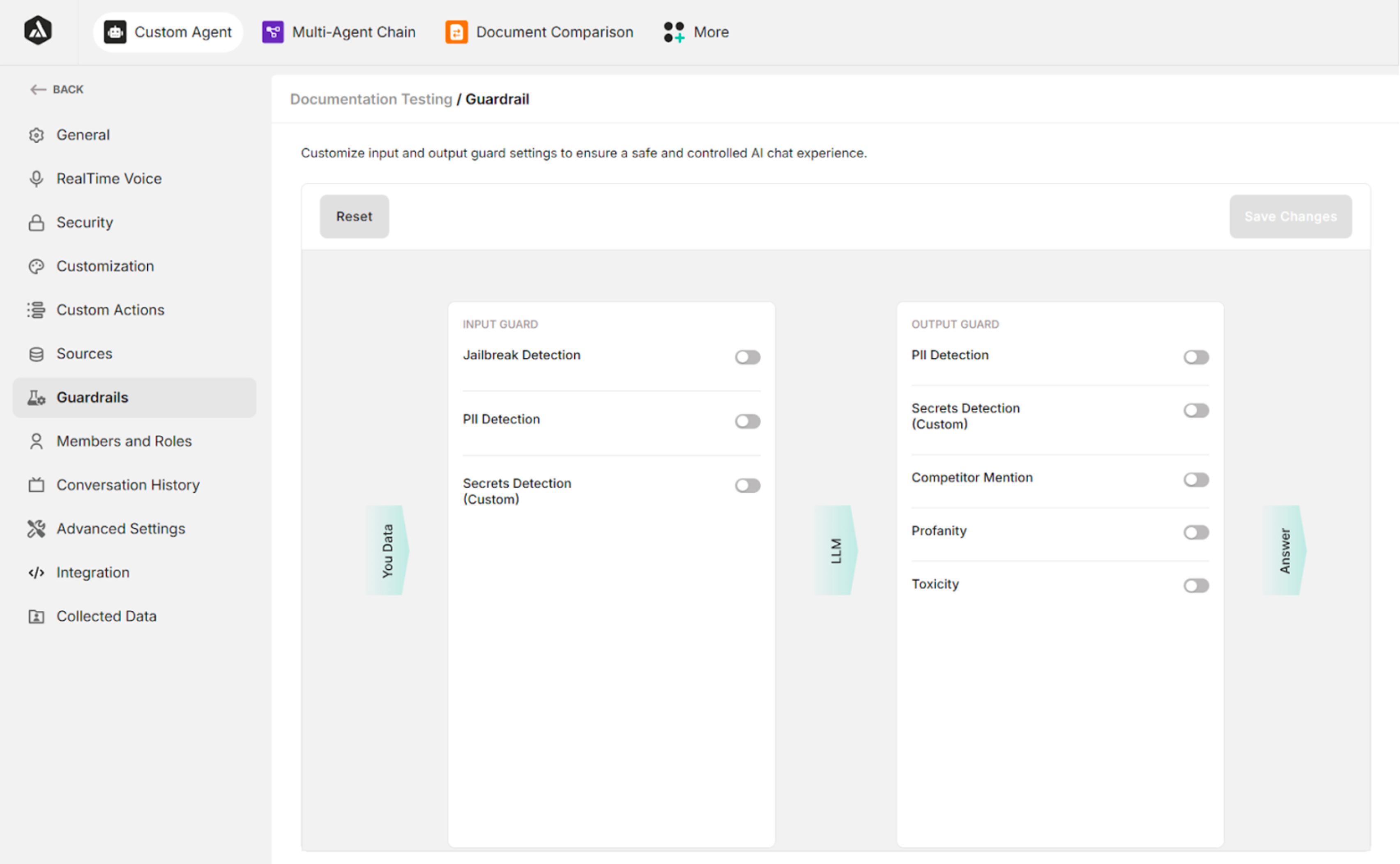
Input Guard
| Input Guard | Description |
|---|---|
| Jailbreak Detection | Detects and blocks attempts to bypass or manipulate the agent's safety mechanisms |
| PII Detection | Identifies any Personally Identifiable Information (PII) in the user input |
| Secret Detection | Detects sensitive data like credentials, API keys, or custom-defined secrets in the input |
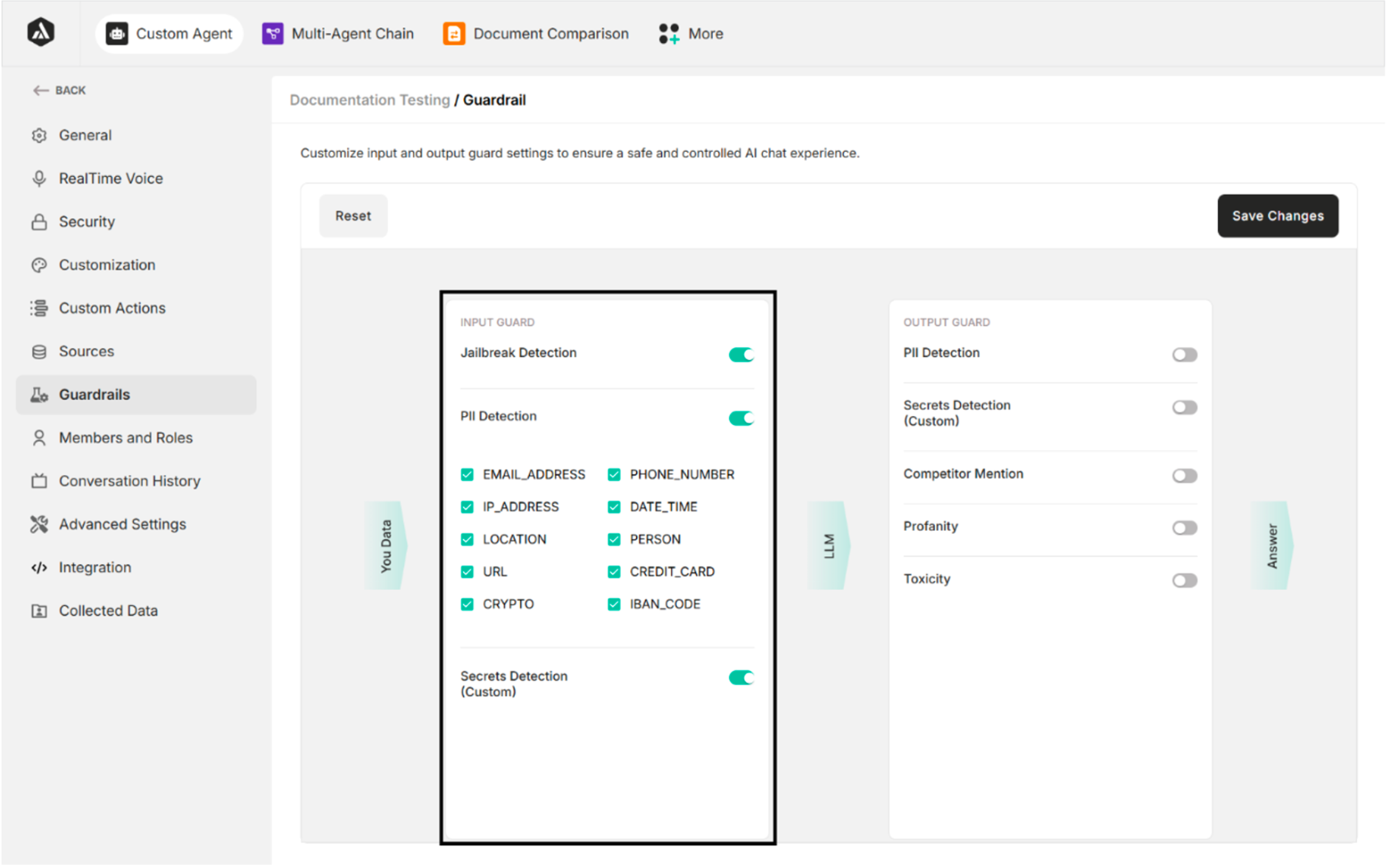
Output Guard
| Output Guard | Description |
|---|---|
| PII Detection | Detects and removes any Personally Identifiable Information from the agent's response |
| Secrets Detection | Identifies and blocks responses containing confidential or custom-defined sensitive information |
| Competitor Mention | Prevents the agent from mentioning competitor names or related information |
| Profanity | Detects and filters out offensive or vulgar language |
| Toxicity | Flags and blocks toxic, harmful, or abusive content in the agent's response |